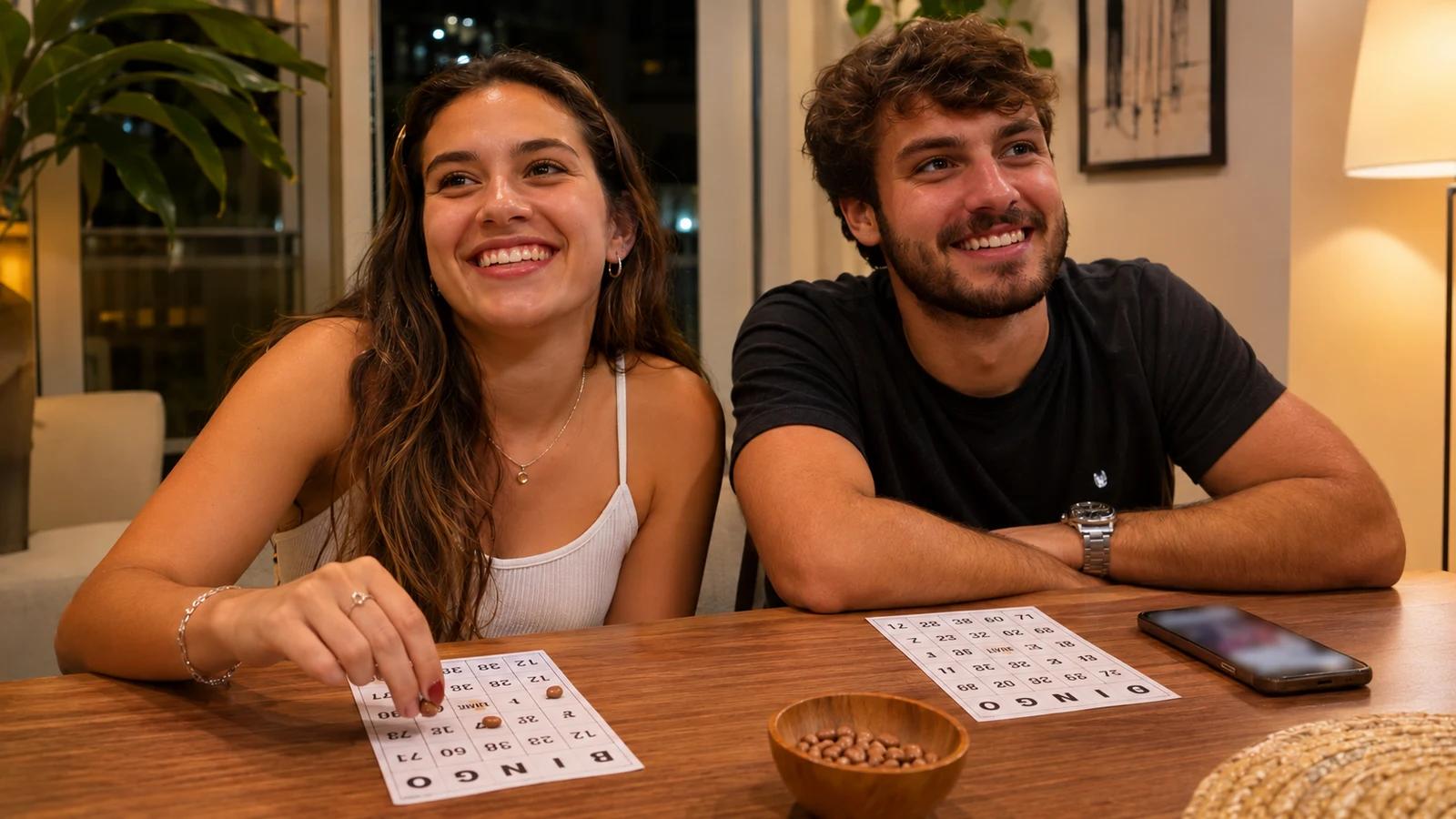
Some people play bingo on paper only, with beans. Some prefer the phone. And then there's the table that's becoming more common: the paper card stays on the table, and the phone comes along, helping make sure no ball slips by. This is the night plan for people who play that way.
If it's your first time at a bingo, read the how to play bingo guide first. If you're the one calling, yours is the bingo night plan for the caller.
You arrive and get your cards
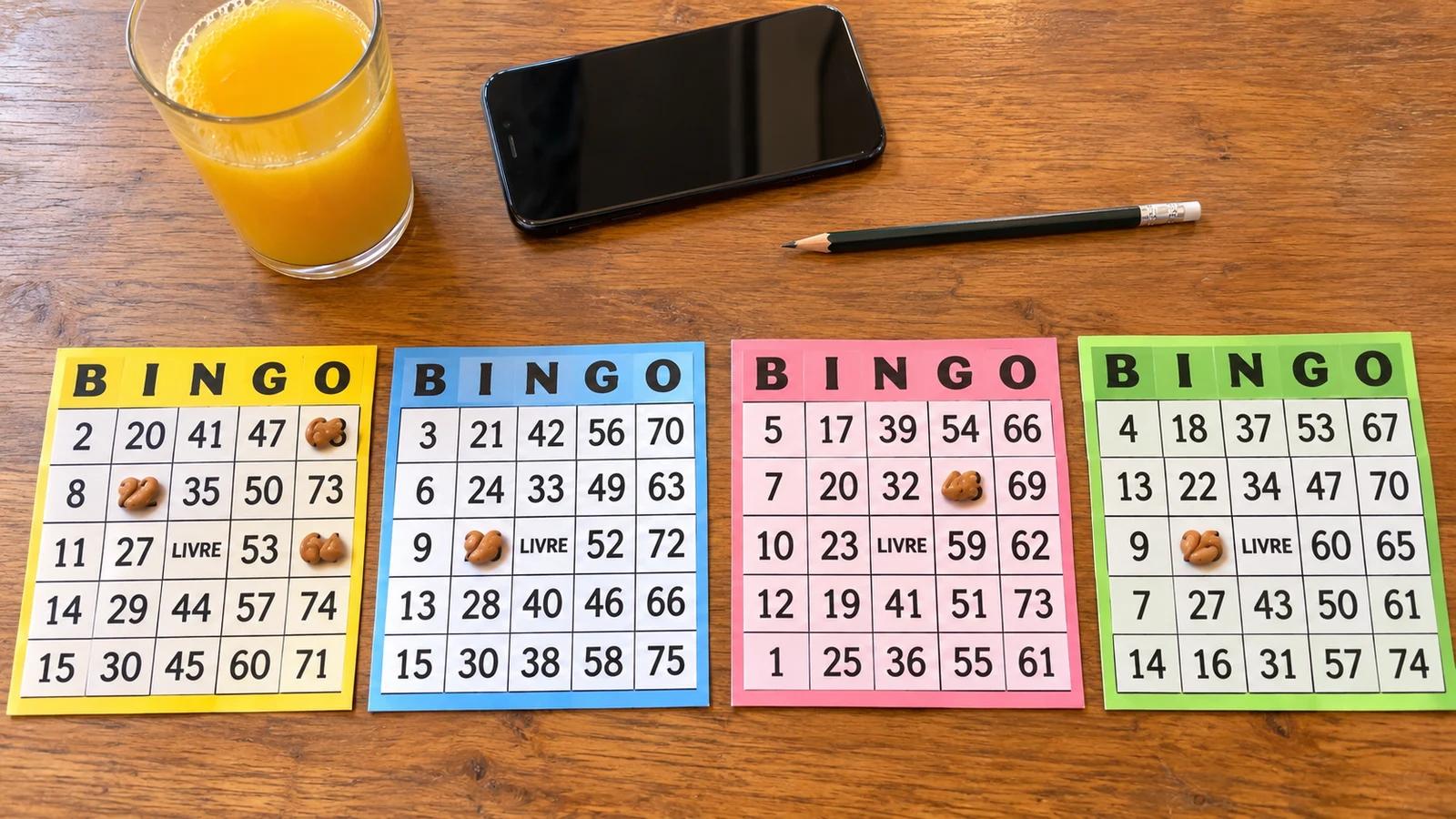
When you arrive, the host hands out the cards and announces the first round's pattern. Pick a spot with good light and lay your cards side by side. With the app, the paper card doesn't go in a drawer: it's still your card. The phone just keeps up.

Gather the ones you love for the next Bingo
See how simple it is to play and host with Bingo Pé Quente.

5 stars on Google PlayFree to start, no sign-up
Get your card into the phone: photo or typing
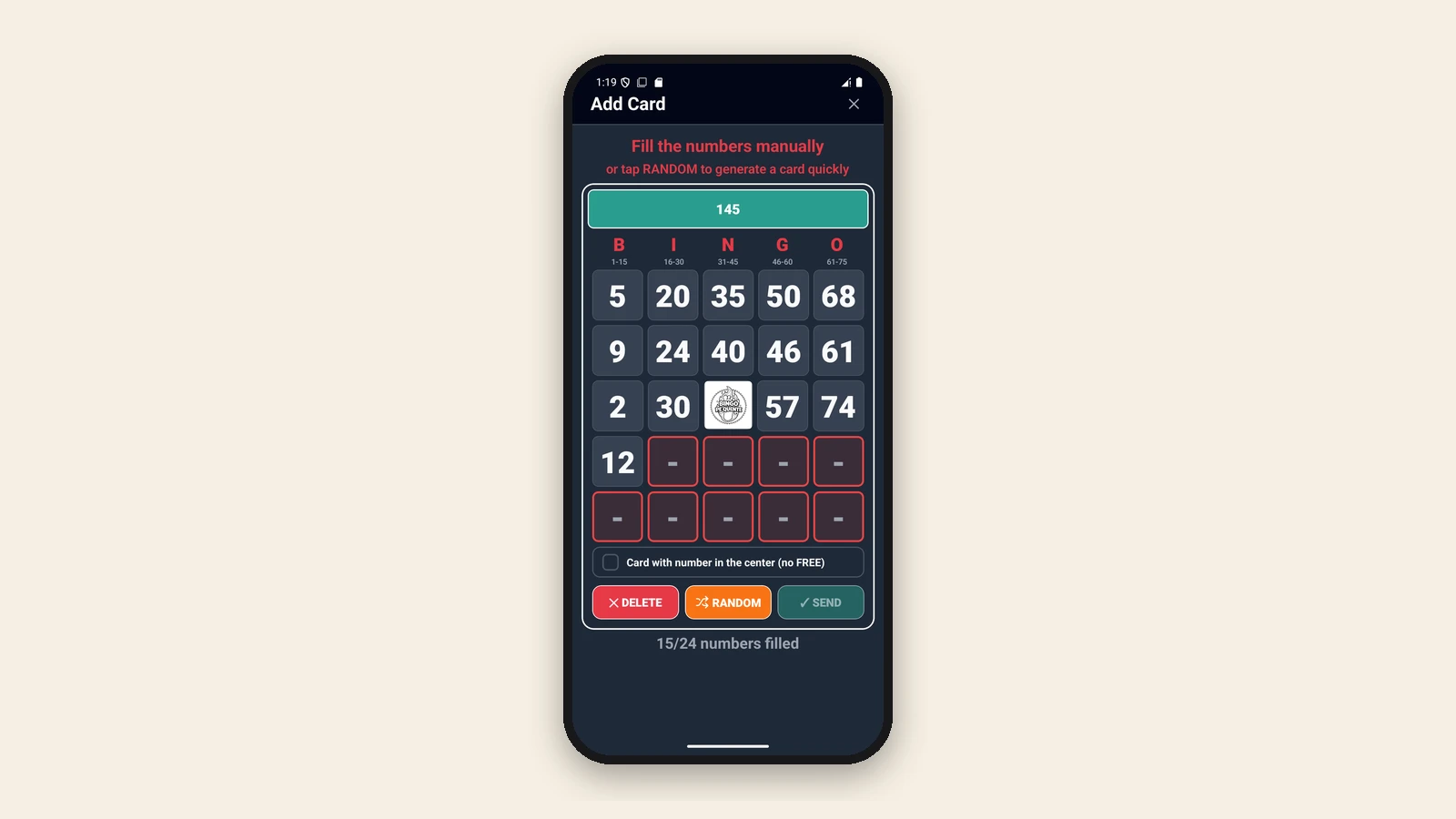
On PLAY, the Add Card screen has two paths. With Scan, you photograph the paper card: the app reads the numbers on the device itself, without internet, and shows you the result to check. If the photo didn't come out well, it refuses it and tells you why. Then just go to Type and fill in the numbers.
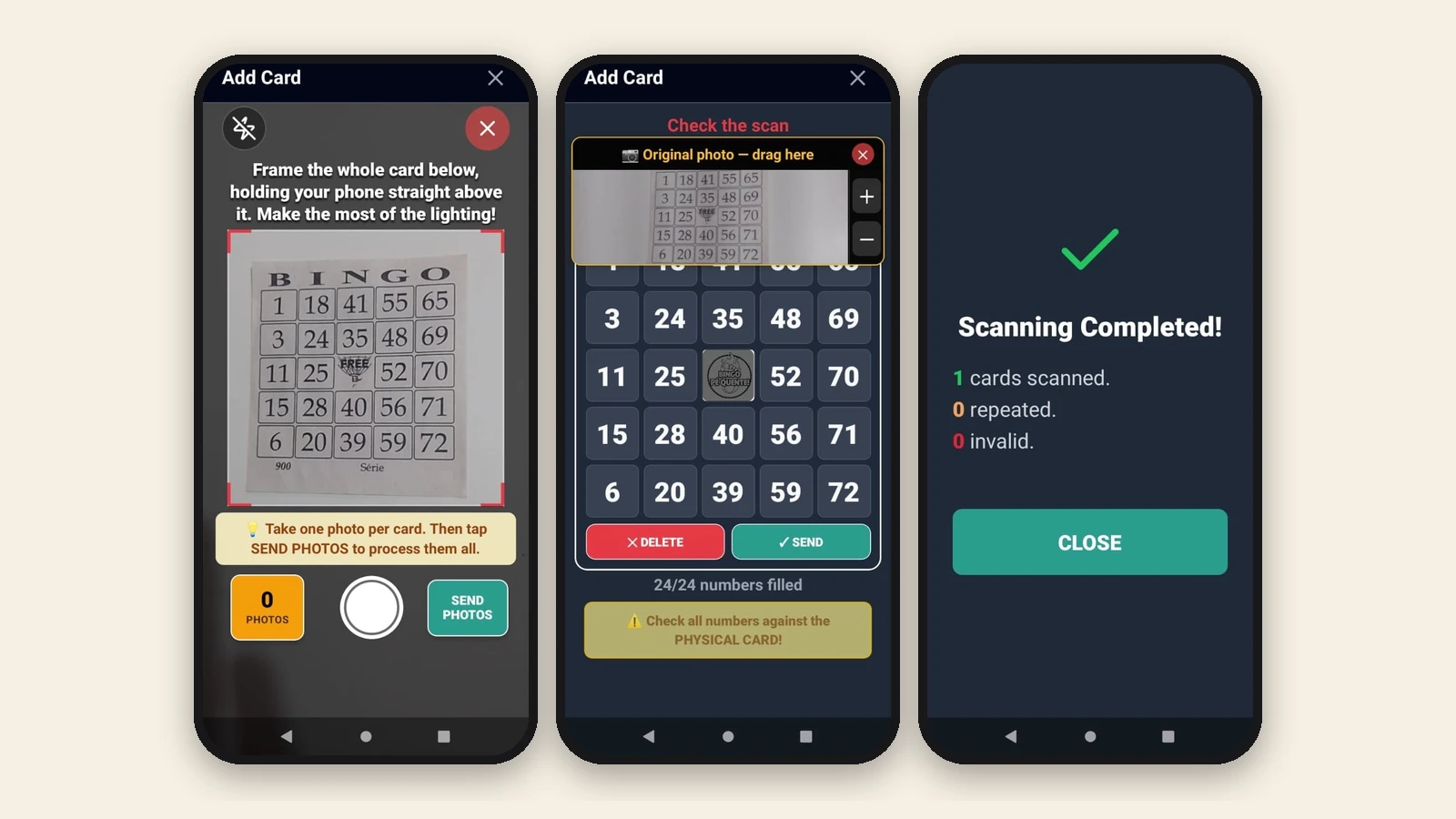
A detail few people notice: when you photograph a card with a number printed outside the grid (the card number, the serial), the app uses that number as the card's name. That makes it easy to say "it's 108!" when you shout.
Choose the round's pattern
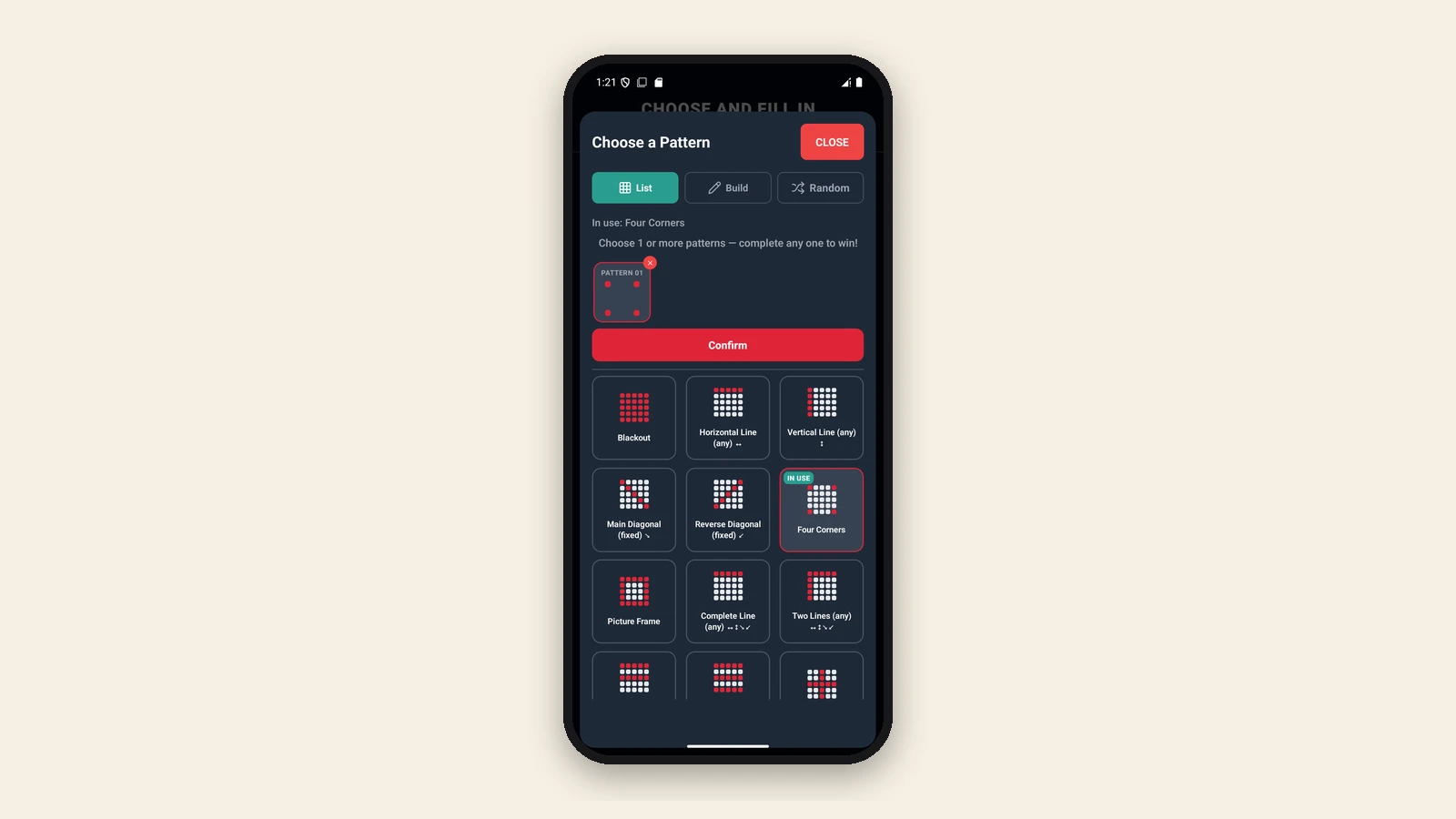
The caller announces the pattern: line, four corners, X, blackout. In the app, you choose the same one under WINNING PATTERN. The free tier has 18 patterns, the most played ones. If the round counts more than one shape at once, you can choose more than one: whoever completes any of them wins.
For every ball called, type in the number
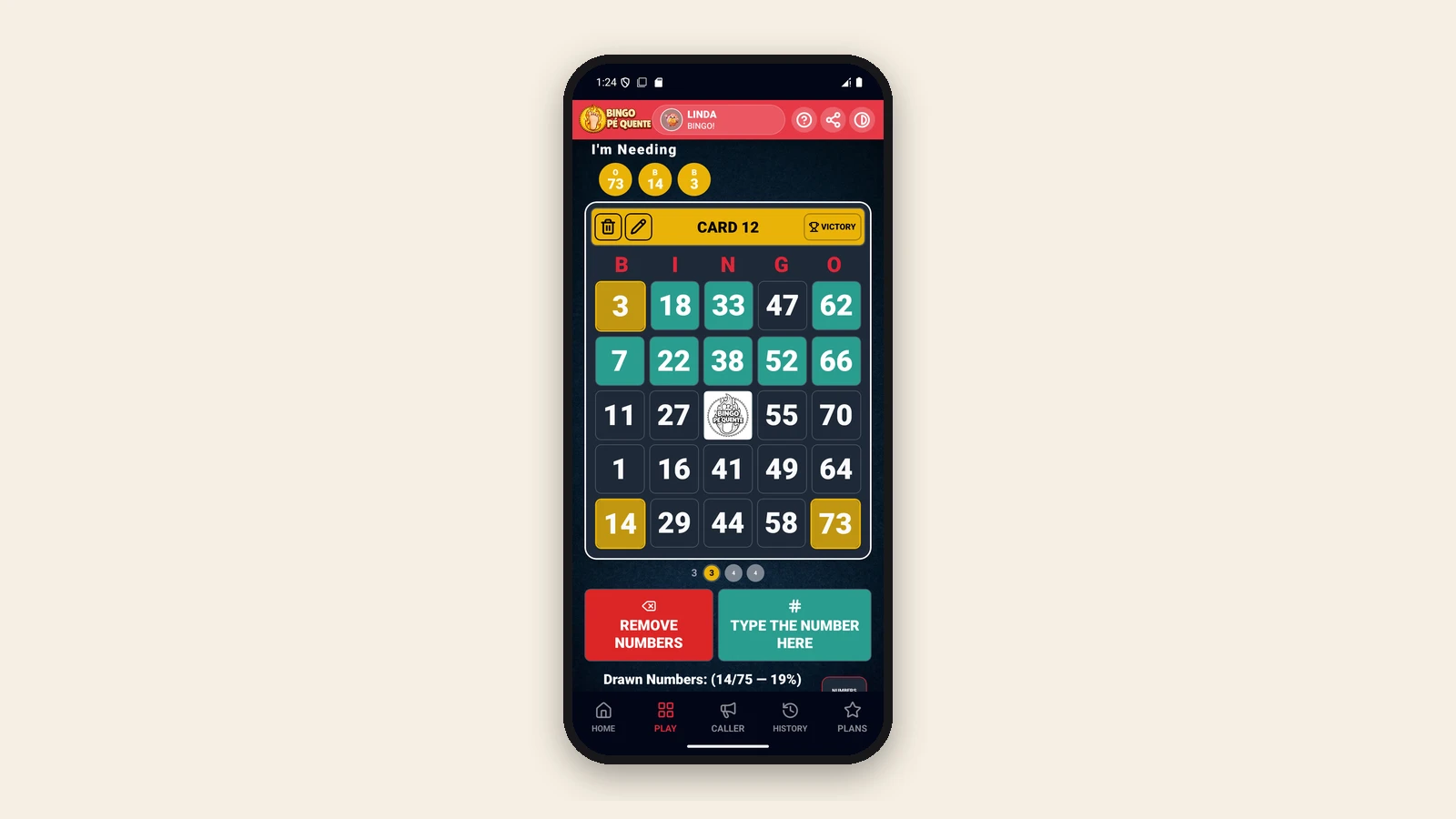
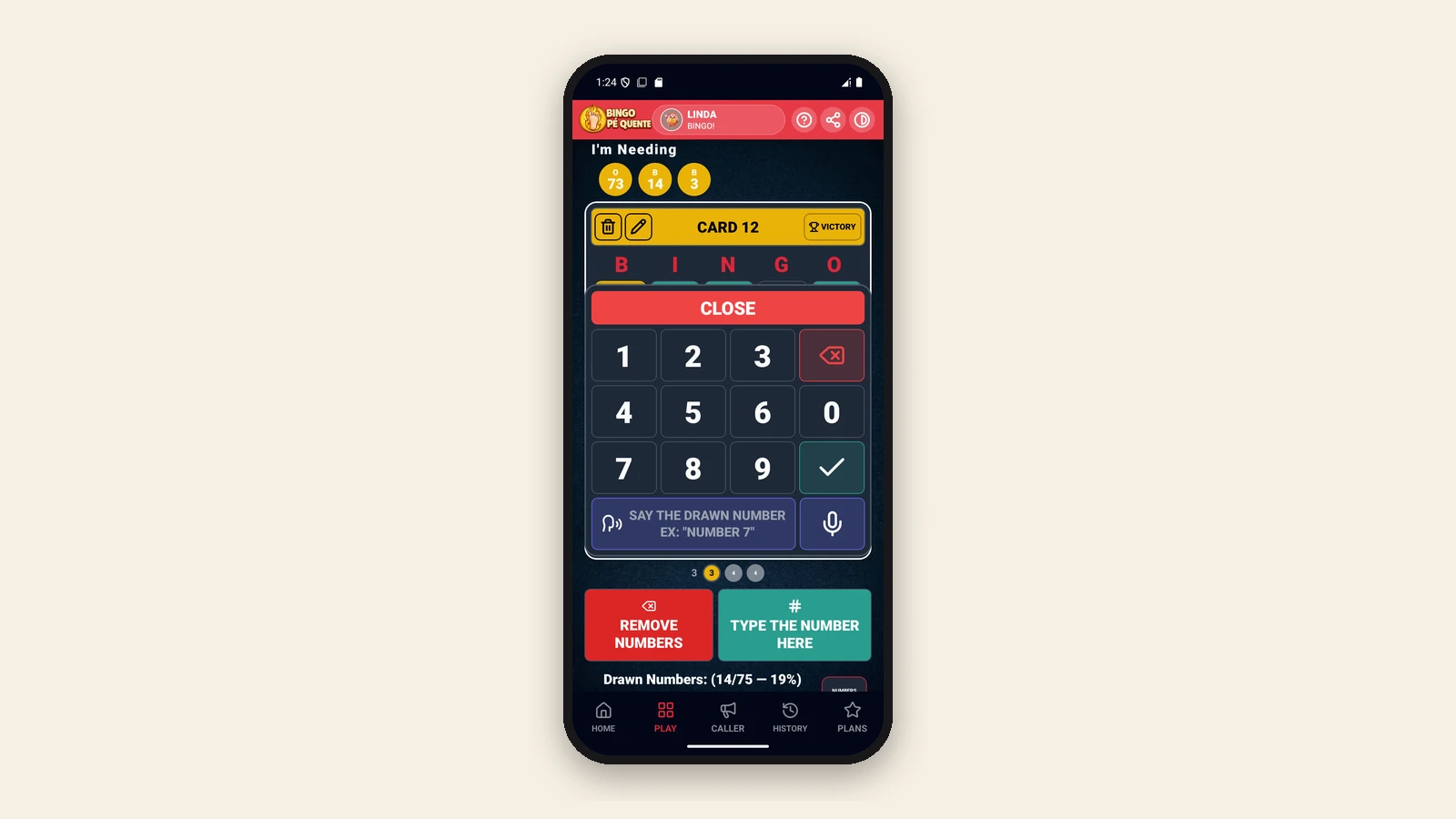
The caller says "O 68". You mark it on paper, if you like, and type 68 into the app, with the TYPE THE NUMBER HERE button. The app marks 68 on all your cards at once. It doesn't listen to the draw in the room: it marks what you type. If you have three or four cards, this is where the phone makes a difference.
One left: the app's alert
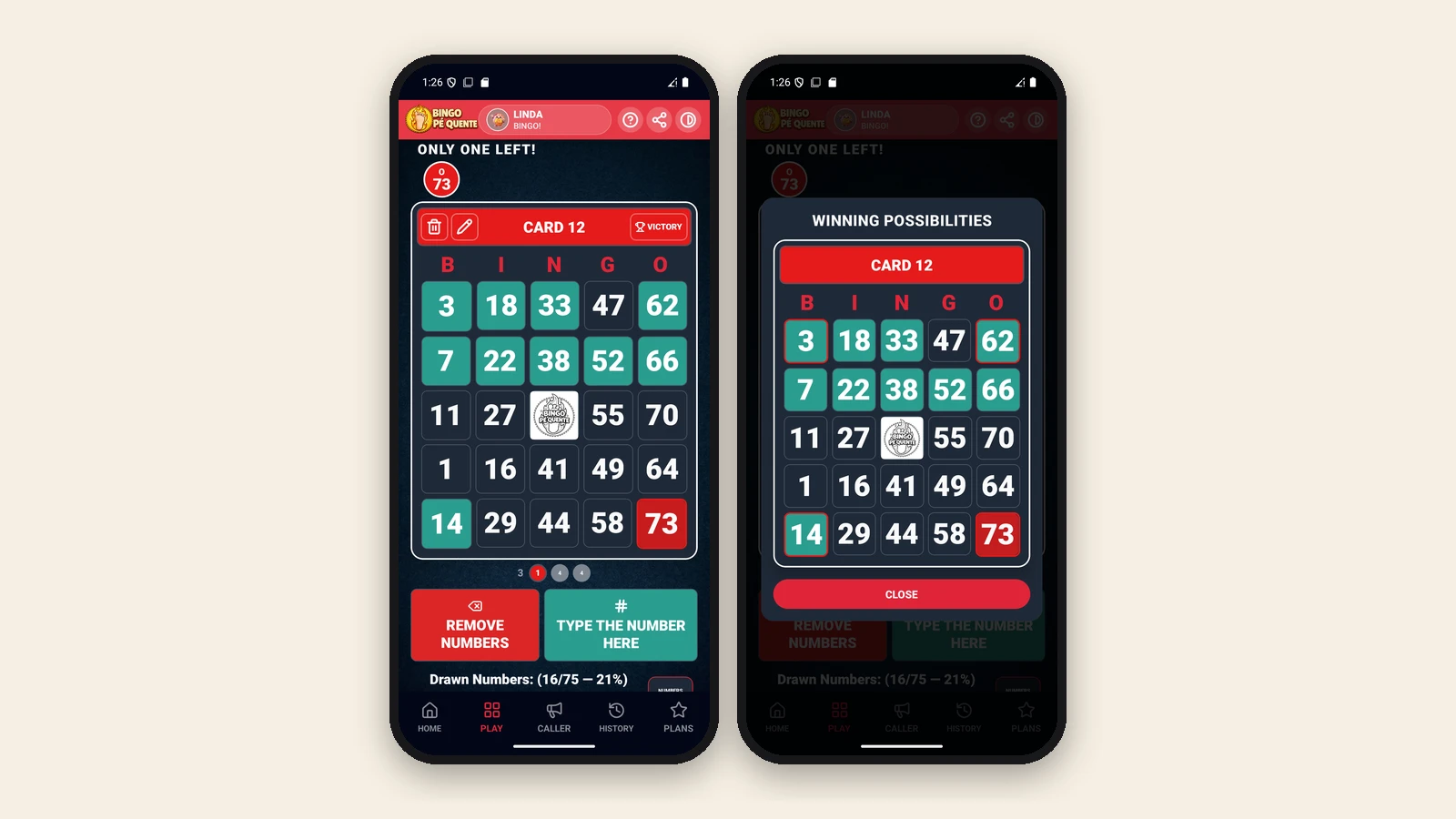
When a card is one square away from completing the pattern, the app alerts you (ONLY ONE LEFT!) and highlights the missing square. On each card's VICTORY button, the WINNING POSSIBILITIES box shows how much is left for each of the round's patterns. Time to pay close attention to the next ball.
Shouted BINGO? Show your card
The ball you needed came out: shout BINGO before the next one is called. The caller will ask you to read out the numbers of the pattern and will check them against the balls called. Having the paper card in your hand helps a lot here: everyone can see it.
What now? I won, I tied or I made a mistake
When a card closes, the app opens the BINGO! box and asks: Did anyone win along with you? There are three ways out:
I won alone!
The caller confirmed your BINGO and nobody else closed. Time to celebrate.
Someone tied with me
Another card closed on the same ball. The tiebreaker is up to the caller, the way the table agreed, and afterwards the app asks whether you won the tiebreaker.
Not a bingo: I entered a wrong number
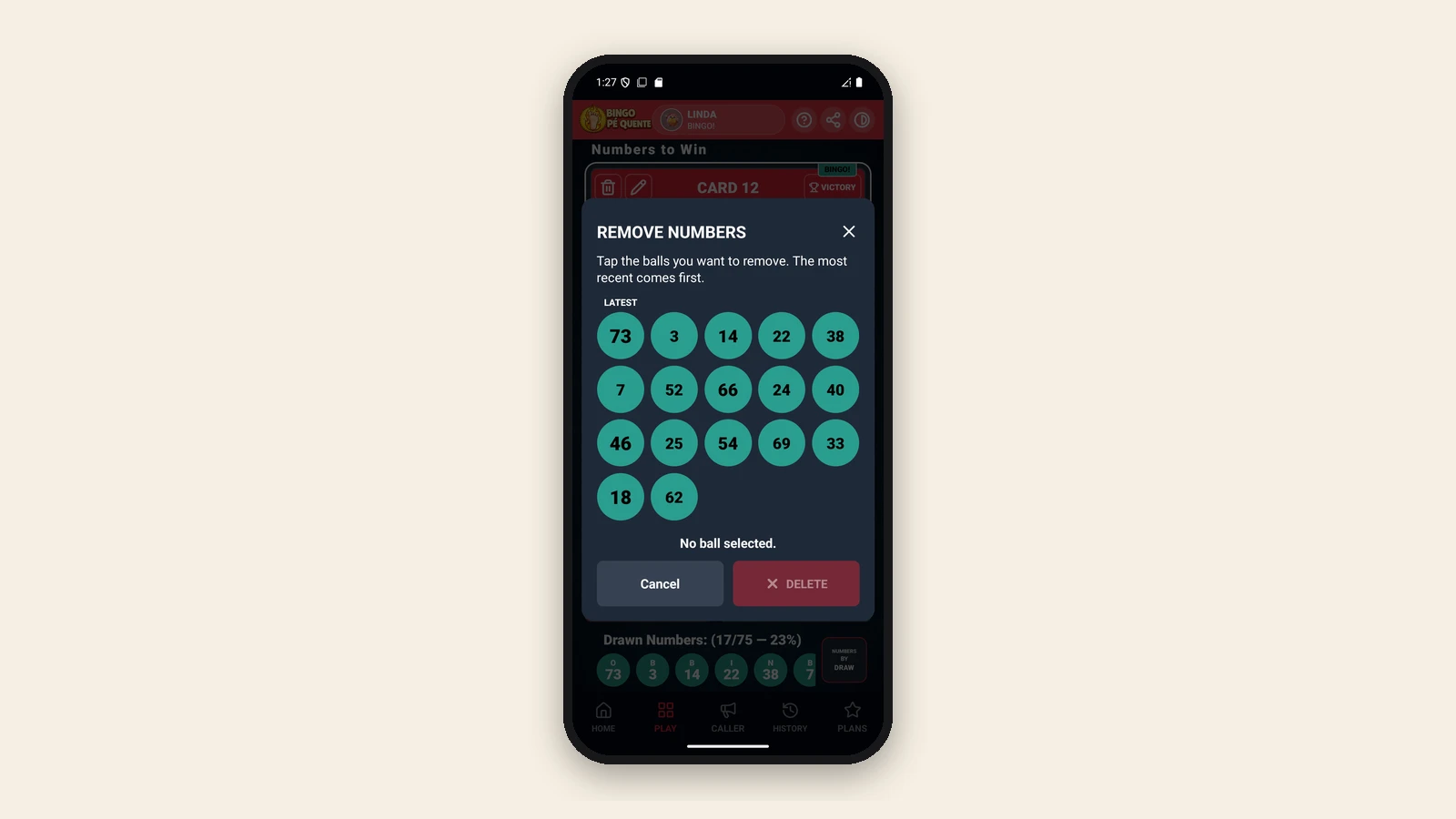
Typed in a ball that wasn't called? The app opens REMOVE NUMBERS, you take out the wrong one and the round goes on.
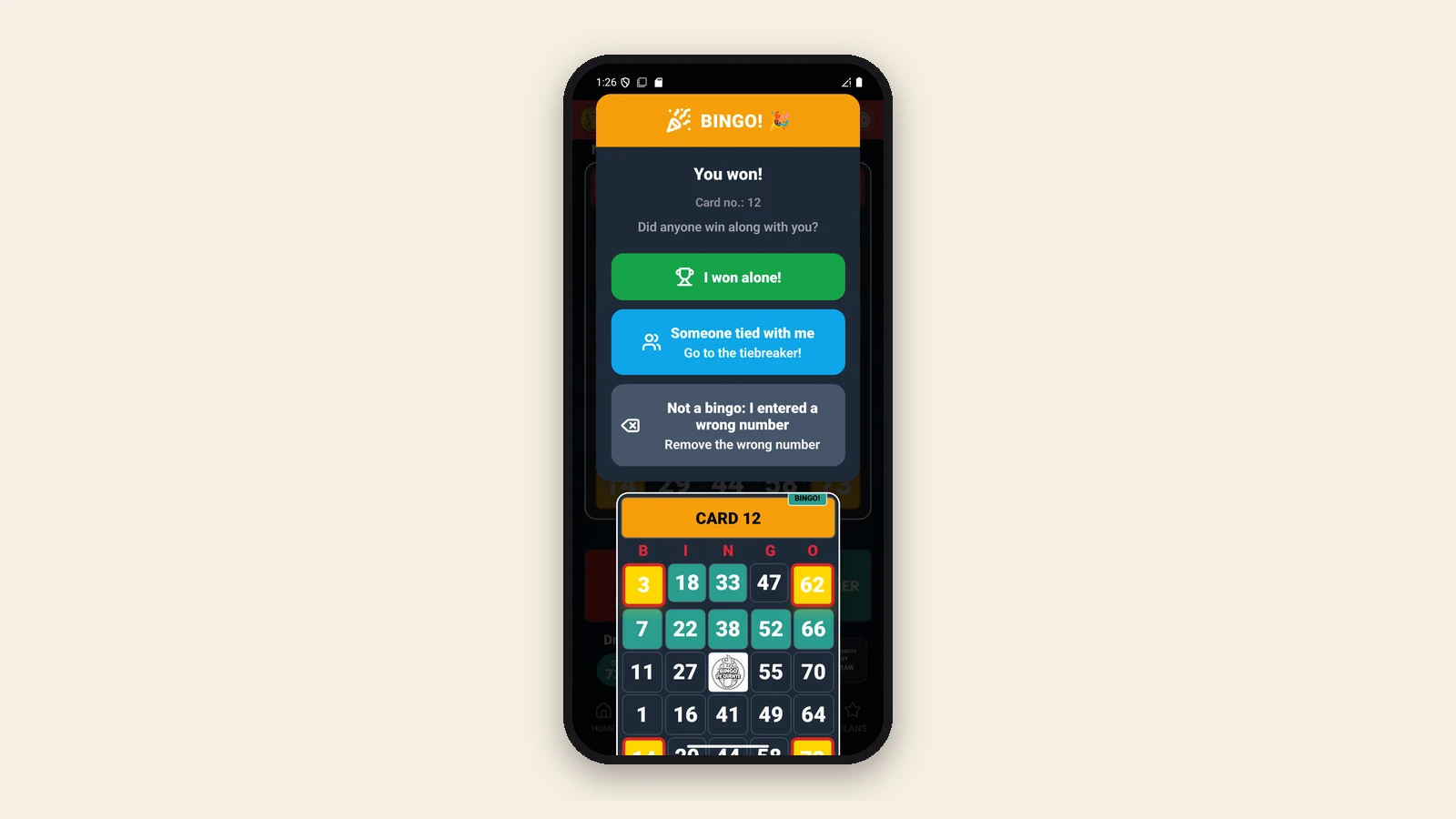
The third one is the most useful and the least known. Typing 61 instead of 16 happens to anyone, and the result is a "complete" card that isn't. With "I entered a wrong number", you fix it without messing up the round or recording a win that never happened.
Several cards, colors and markers
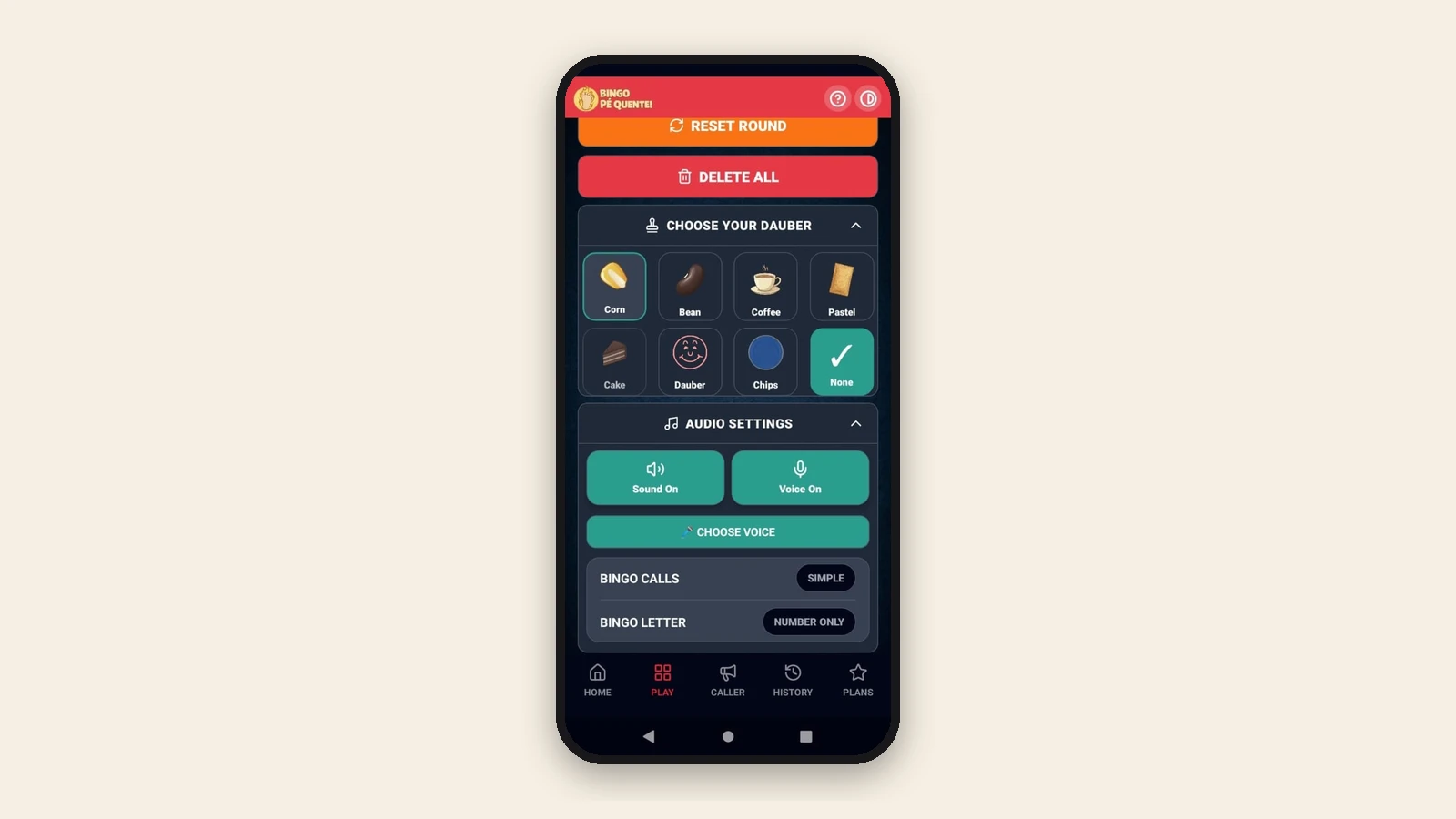
In the free tier you play with 3 cards at once; by watching a video, you get one more, up to two extra per game. PARTY unlocks up to 15 cards and GRAND BINGO, up to 50. The on-screen markers imitate the ones on the table: the bean is free; corn, coffee and the others come with PARTY, which also lets you choose the color of each round's cards.
Arrived late? The caller's QR
If the caller set up an event in the app and turned on PLAYERS ARE USING THE BINGO PÉ QUENTE APP, the caller's full screen shows a QR code (on tablets and phones with larger screens; on narrower phones, it doesn't appear). With the event file on your phone (the host sends it ahead of time, and it goes into MY EVENTS), tap READ CALLER'S QR on PLAY: the balls already called come in all at once. If you had already marked different balls, the app asks whether to use the room's or keep yours. Reading the QR is free, on any plan.
The paper card is still yours. The phone just makes sure no ball slips by.
Quick questions
- Does the app listen to the draw and mark it by itself? No. You type in each ball called and the app marks it on all your cards at once.
- Do I need internet to scan my card? No. The reading happens on the phone itself.
- How many cards can I play for free? Three. By watching a video you get one more, up to two extra per game.
- I typed a wrong number and the card closed. What now? In the BINGO box that appears, tap "Not a bingo: I entered a wrong number", remove the wrong number and keep playing.
- I arrived late. Do I have to type in every ball? If the bingo is an event with a QR on the caller's screen and you have the event file, tap READ CALLER'S QR on PLAY and the balls already called come in all at once. Without a QR, type in the balls that have already been called.
Paper on the table, phone in hand and an ear on the next ball: that's how no square slips by.