Every app is a pile of decisions. Some you can see, like the color of a button; others stay hidden and only matter on the day something goes wrong. This post tells the decisions that made Bingo Pé Quente the way it is, and why each one was made.
None of them came from "what sells best". They came from a single question: what happens at the table, with family or friends playing, when the app gets it wrong?
0
sign-ups: no email, phone number or password
1
purchase, for good: no subscription
3
cards and 18 patterns in the free tier
4
languages: Portuguese, English, Spanish and French
Your card's photo never leaves your phone
When you photograph your paper card, the reading happens on the device itself. The photo isn't sent anywhere, and that's why the reading works without internet, at the lake cabin or in a hall with no Wi-Fi.
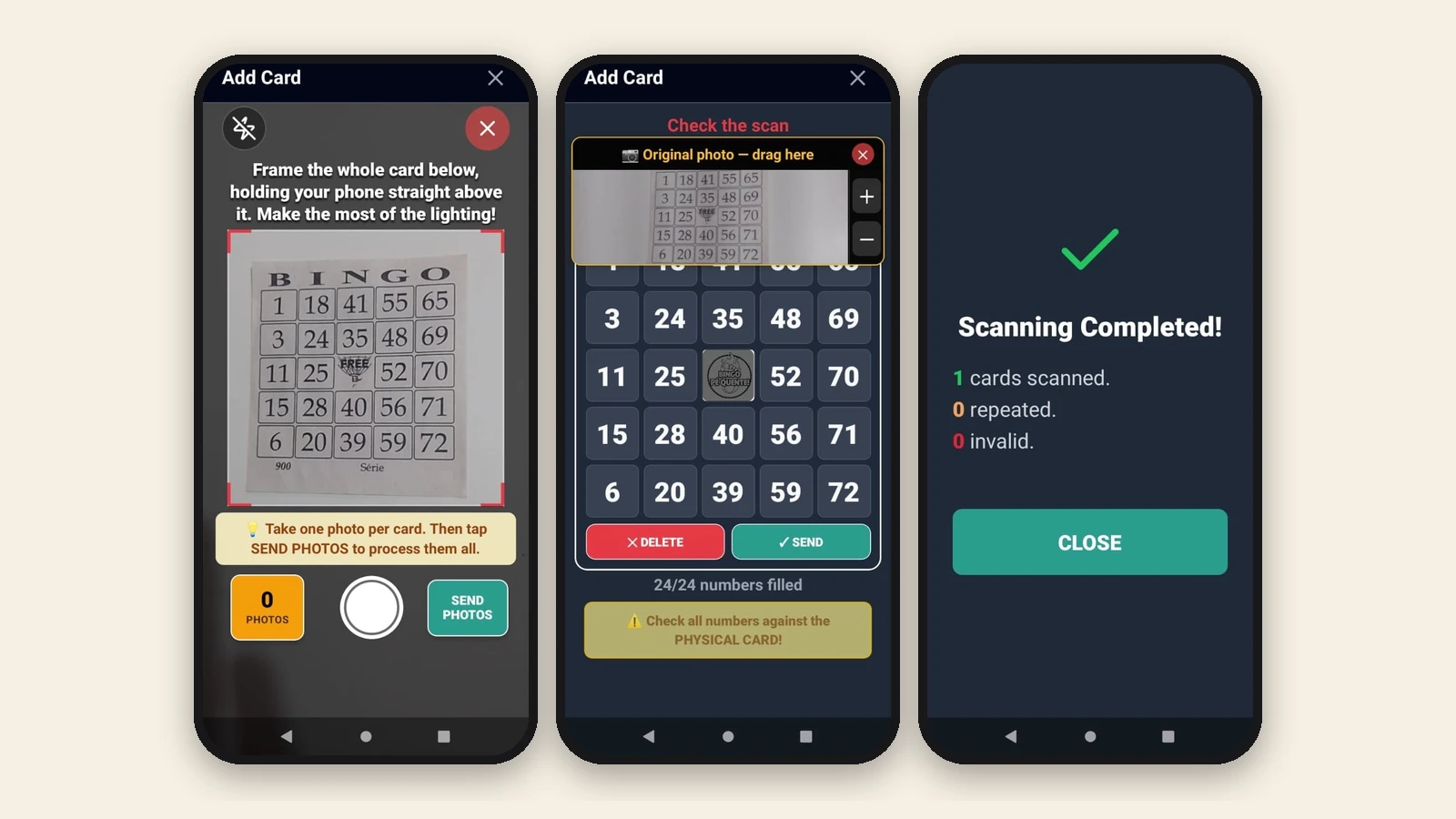
It was a choice with a cost: reading on the phone is harder than sending the photo to a big computer to do the work. But a photo of your card is a photo of your table, your hand, your home. It stays with you.

Gather the ones you love for the next Bingo
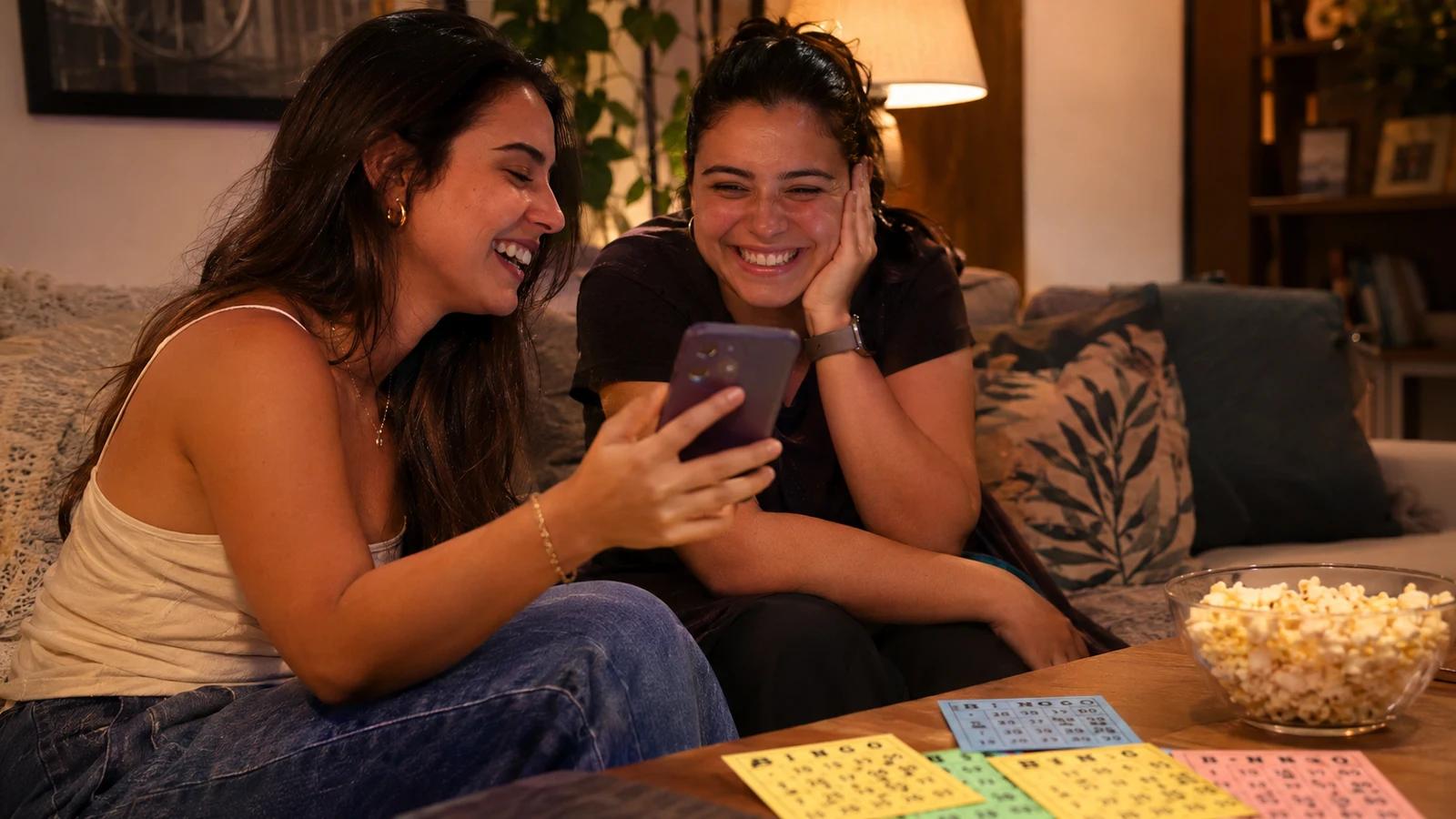
See how simple it is to play and host with Bingo Pé Quente.

5 stars on Google PlayFree to start, no sign-up
When in doubt, the app would rather refuse the card
If the photo is blurry, the light is bad or a number is half faded, the app refuses the card instead of guessing, and tells you why: blurry photo, card poorly framed, number not recognized. The button to type the card in by hand is always right next to the scan button.
A misread card only shows up when someone shouts a BINGO that doesn't exist. That's why doubt becomes a refusal.
Picture the scene: the round is nearly over, someone shouts BINGO, the room goes quiet, and the card on the phone doesn't match the paper one because a 7 was read as a 1. A refused card costs a minute of typing. A wrong card costs the round.
Big type, dark background, big buttons
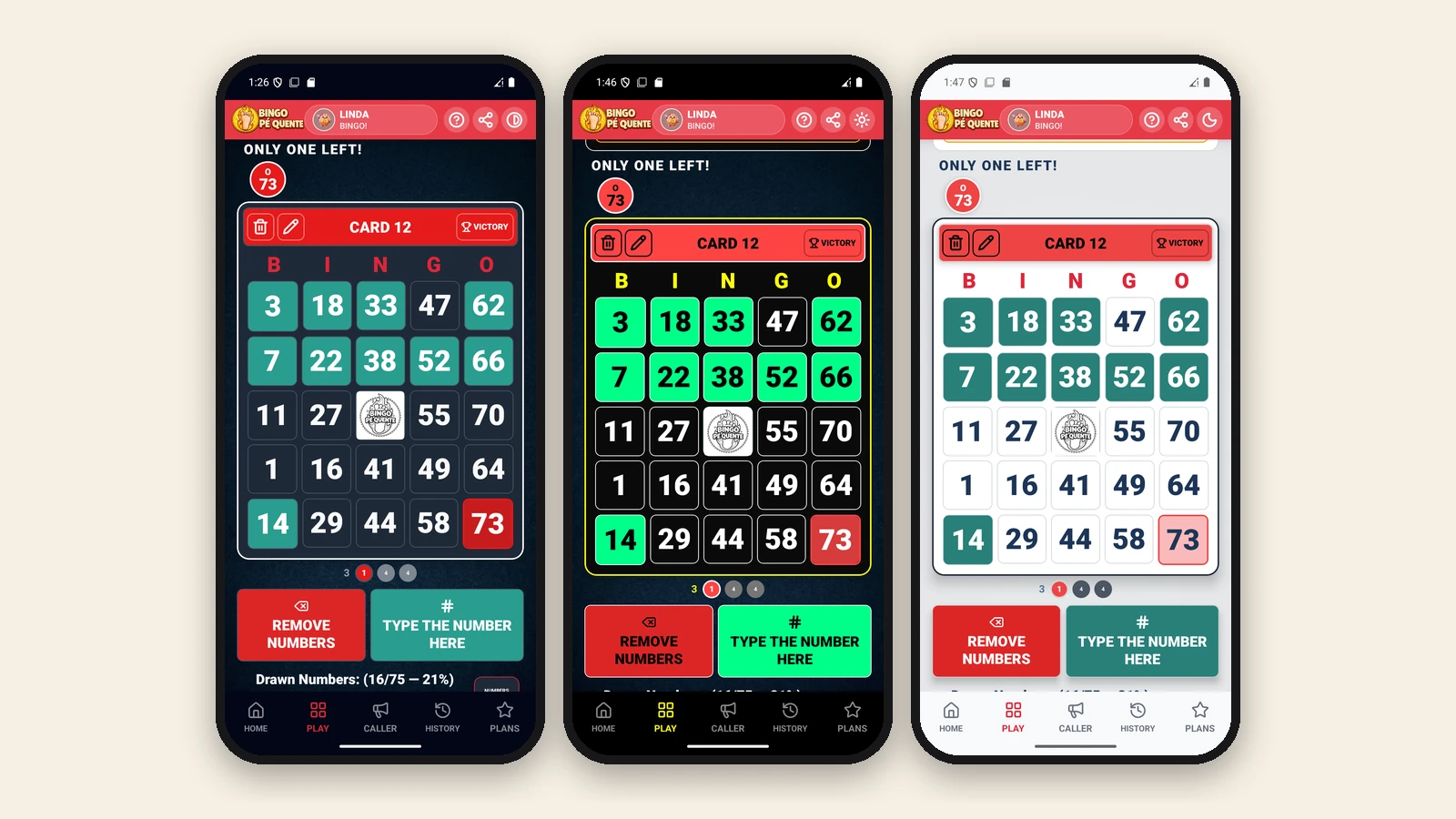
The app opens with a dark background and big, light type, and every button is the size of a finger, not the tip of a pen. It isn't a "senior mode": it's what works for everyone at a table under a ceiling light, with the phone propped up far away or in the hands of someone who left their glasses in the other room. If you prefer, switch the theme with the icon at the top of the screen; each tap moves to the next one: besides dark, there's light and high contrast, with a black background and strong colors.
The voice comes on by default
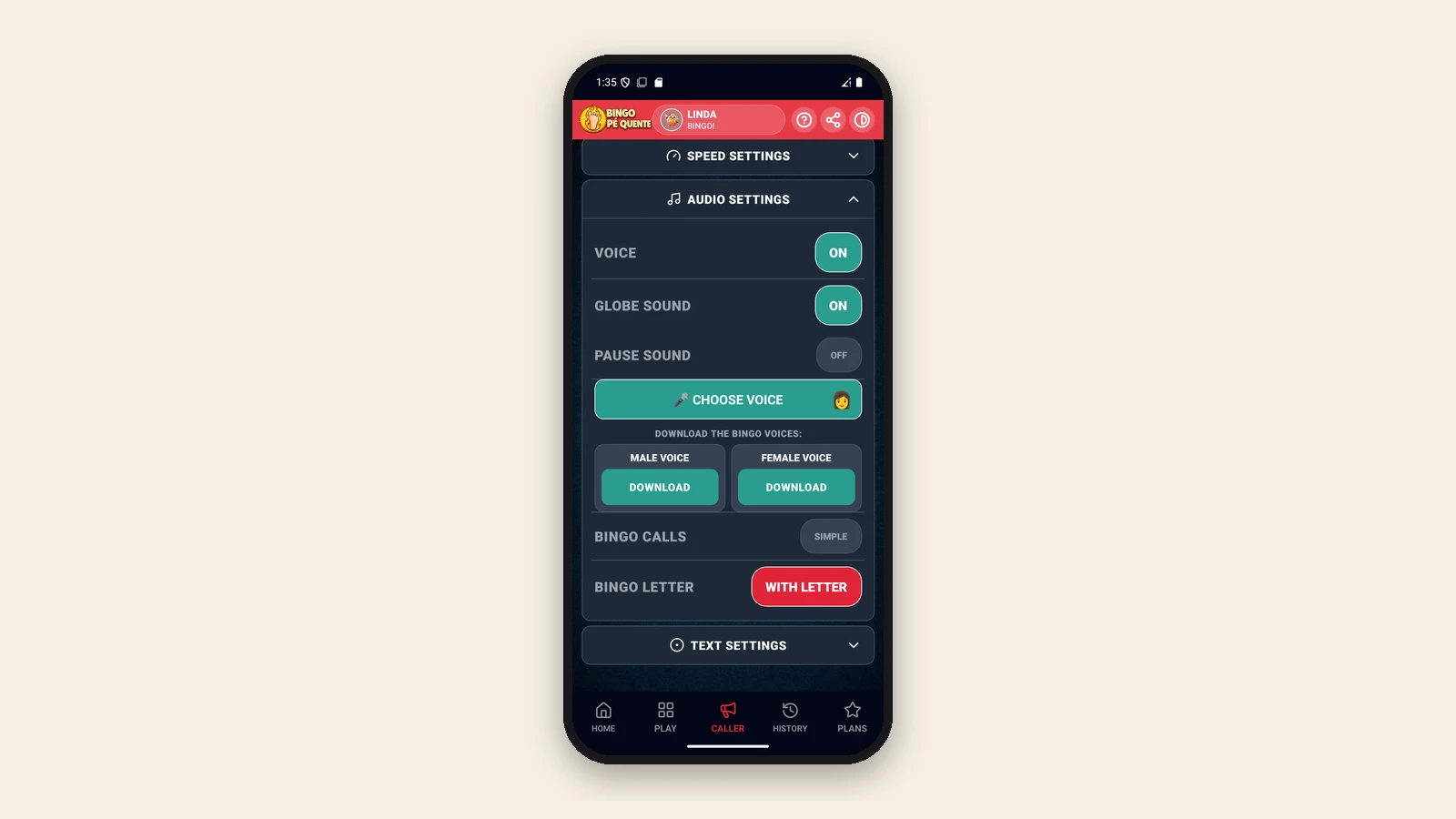
If you call with the app, you don't have to hunt for the voice option: it's already on. The app calls every ball out loud with the column letter and the number, the way 75-ball bingo is called in the hall ("I 22"). You can choose the voice (male or female), the speed and whether the letter comes before the number.
At a bingo with family or friends, the host wants to play too. With AUTO GAME, the phone draws and calls on its own, and the host can sit down at the table with a paper card, keeping the phone close by to pause when someone shouts BINGO. And if your table likes to give numbers nicknames, that tradition is in From the little bean on the card to grandma's phone.
The app alerts you. You do the checking
The app shows how much each card is missing and alerts you when one is left. But it doesn't decide who won: you, the caller and the table do the checking, as it has always been. The app doesn't listen to the draw; it marks the ball you type in.
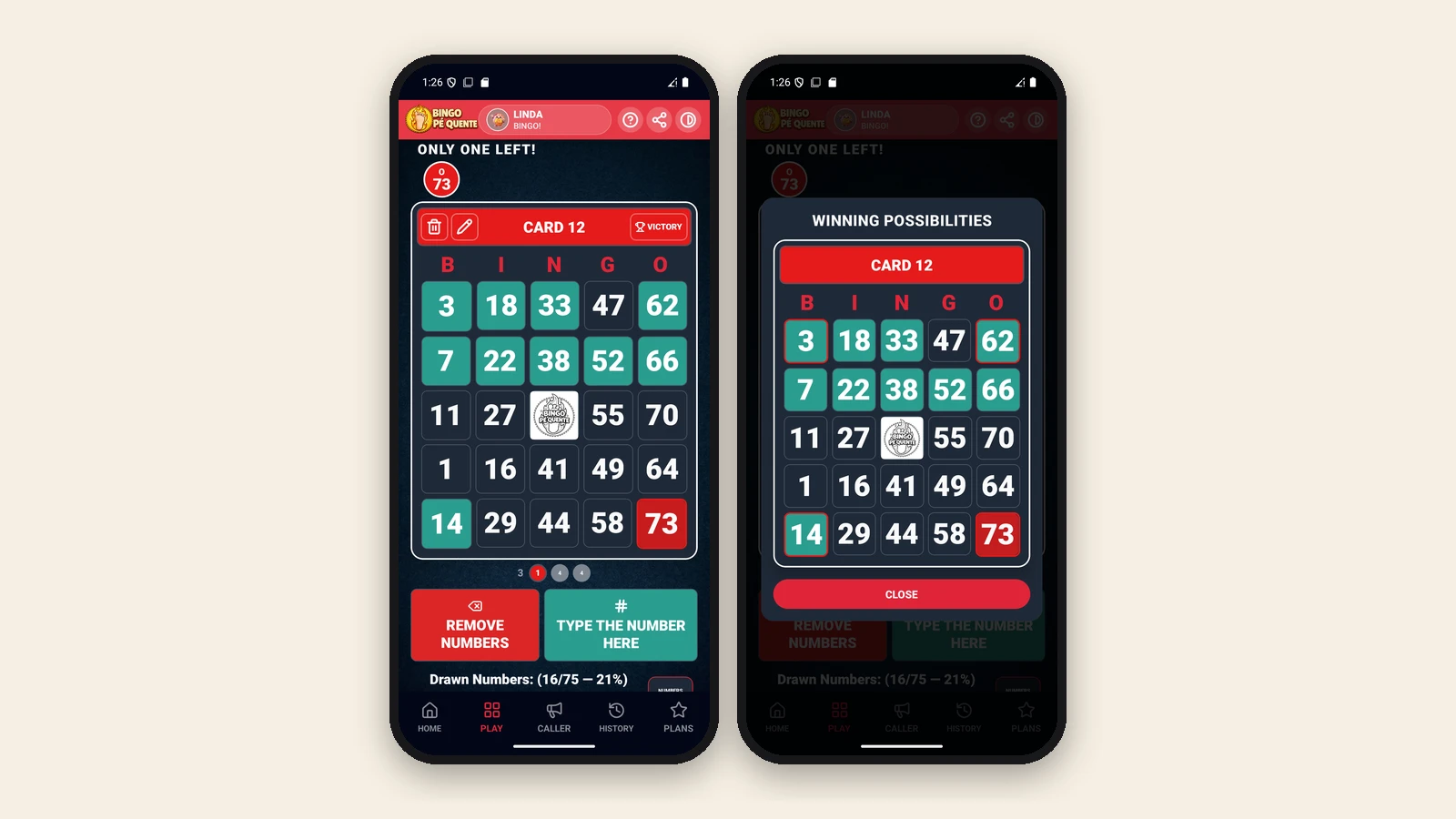
It's a decision made out of respect for the game. Bingo is conversation, it's "check that for me", it's reading the numbers out loud for the whole room to hear. The app helps you not miss anything, but the last word belongs to the table.
Free to download, and you can play all night without paying
Without paying anything, you get 3 cards at once on PLAY, 18 patterns (line, four corners, blackout, X, picture frame and more), the caller with voice, the full screen to mirror to the TV and the highest-ball tiebreaker. The free tier shows ads; once you buy, you never see another one.
One-time purchase, no subscription
If you want more, you buy once and you're done: PARTY (up to 15 cards, multi-prize mode, all the markers and patterns) or GRAND BINGO (everything in PARTY, plus up to 50 cards, planned events, a pattern you draw yourself and the caller's history). Nothing expires, there's no renewal and no hidden charge.
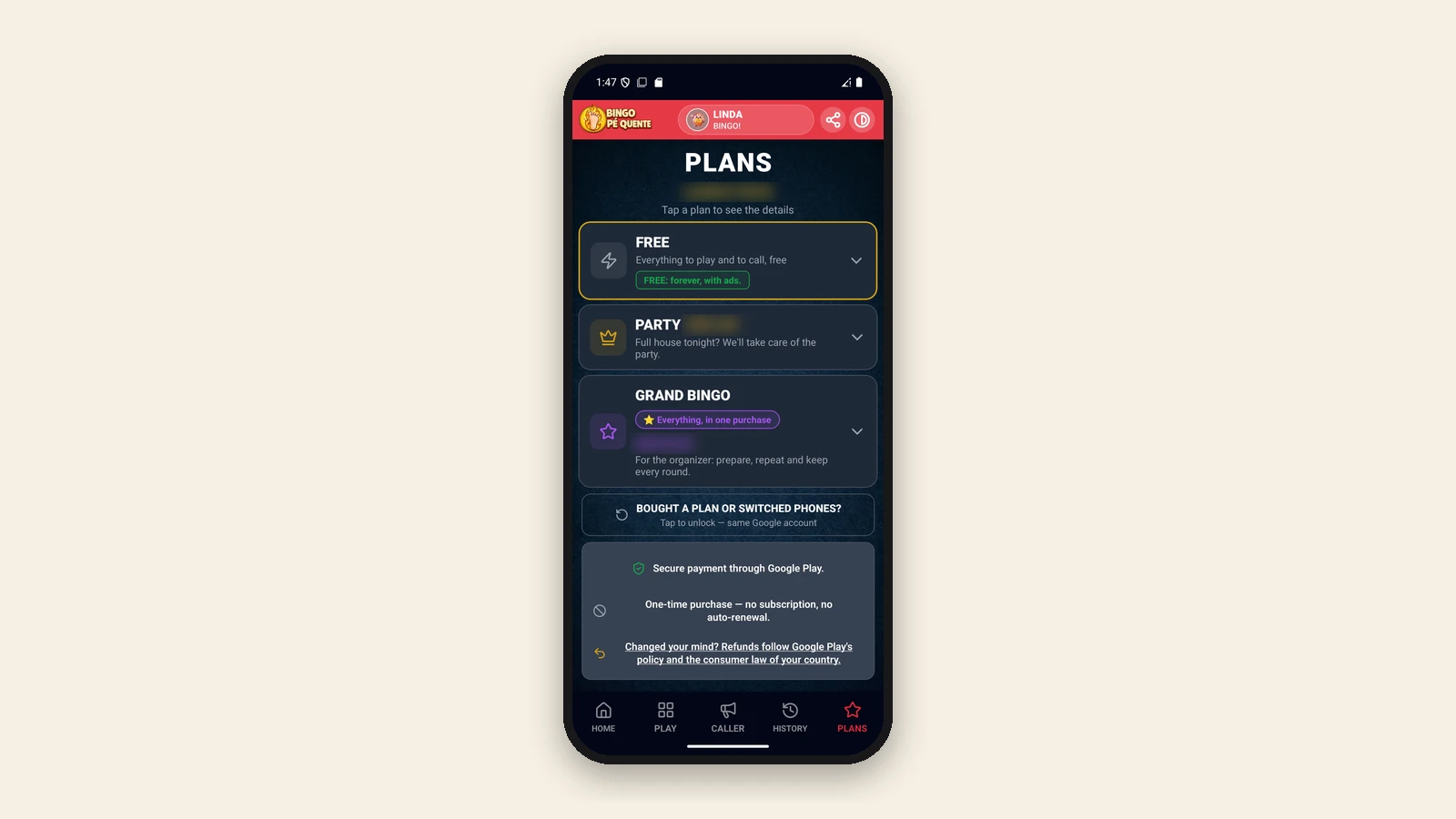
What the purchase unlocks lives on your device. Even if the internet goes down in the middle of the party one day, what you bought keeps working.
Switched phones? Your purchase comes back without a login
You don't create an account in Bingo Pé Quente. When you buy, the receipt is kept by Google Play, in your Google account. On the new phone, install the app with the same account: when it opens, the app looks for the receipt on its own. If the purchase doesn't show up, go to the PLANS tab and tap BOUGHT A PLAN OR SWITCHED PHONES?: the app reads the receipt and unlocks what's yours.
No sign-up, no password
The app doesn't ask for an email, a phone number or a password, not to play and not to buy. The YOUR NAME field on the start screen is optional and is stored only on your phone. Open it and play.
Left out on purpose
- Send your card's photo off your phone
- Guess at the reading when in doubt
- Decide on its own who won
- Charge a subscription
- Ask for a sign-up or a password
Kept in on purpose
- Read the card on the device, even offline
- Refuse it and offer typing instead
- Alert you when one is left
- Sell once, for good
- Return your purchase through the Google Play receipt
Quick questions
- Does my card's photo go to a server? No. The reading happens on the phone itself and works without internet.
- Why does the app sometimes refuse my card? Because when in doubt it would rather not guess: a misread card would only be discovered in a BINGO that doesn't exist. When it refuses, you type the card in by hand.
- Do I need to create an account to use it? No. The app doesn't ask for an email, phone number or password; the name on the start screen is optional.
- Does Bingo Pé Quente have a subscription? No. PARTY and GRAND BINGO are one-time purchases and never expire.
- I switched phones. Did I lose what I bought? No. Install the app with the same Google account: the purchase comes back through the Google Play receipt. If it doesn't show up on its own, go to the PLANS tab and tap BOUGHT A PLAN OR SWITCHED PHONES?
A bingo app made for the table: it respects the paper card, the table that checks and everyone who's playing.