Every app has that feature only the curious ones find. Bingo Pé Quente has several, and some of them solve exactly the problems that come up most on a bingo night. We picked 13, with what each one does, where it is and whether it's in the free tier, PARTY or GRAND BINGO.
8
of the 13 features are in the free tier
2
need PARTY
3
need GRAND BINGO
0
need a sign-up or a password
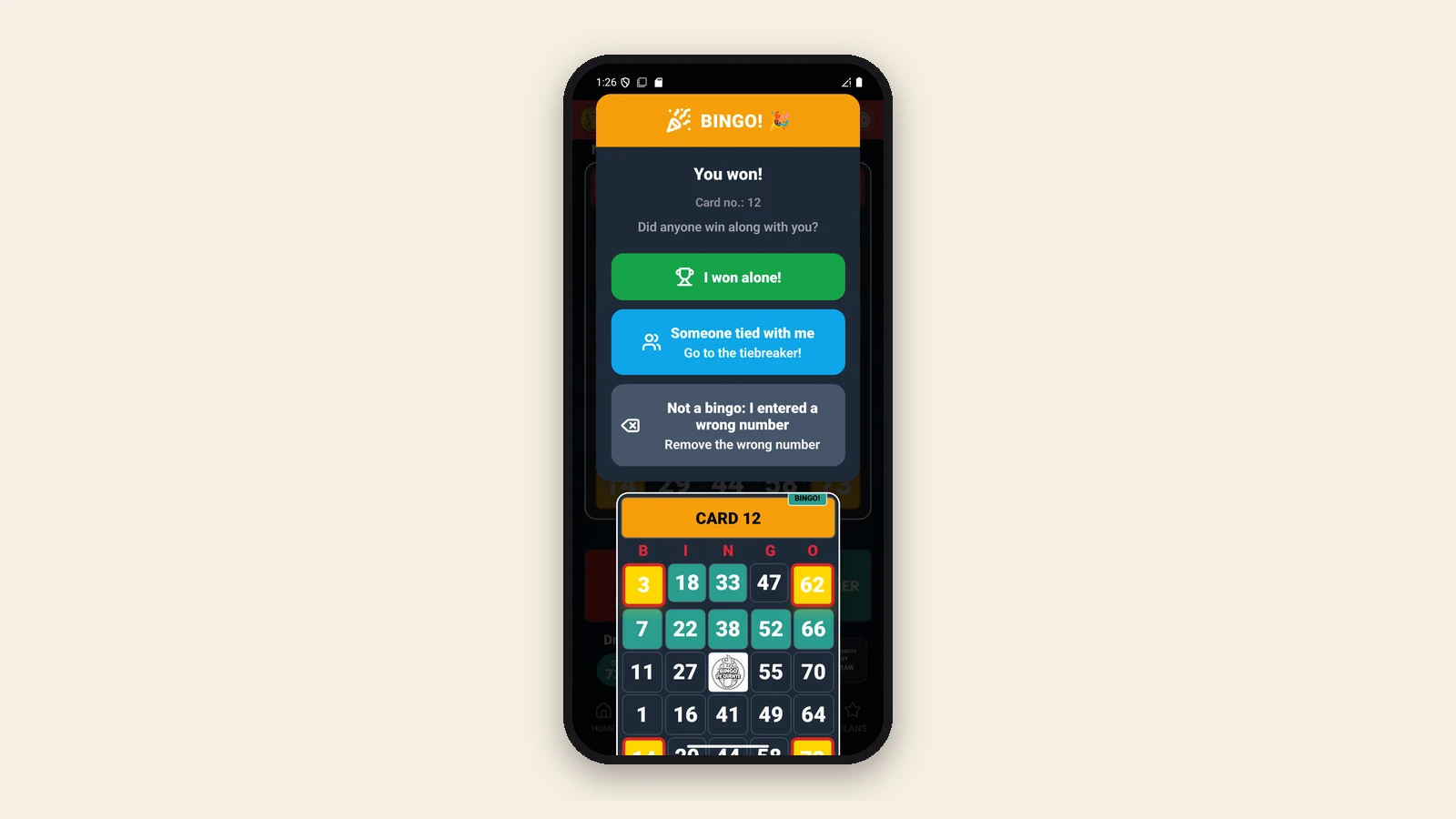
1. "Not a bingo: I entered a wrong number"
Typed 61 instead of 16 and the card "closed"? When a card closes, the app opens the BINGO! box, and one of the ways out is Not a bingo: I entered a wrong number. It opens REMOVE NUMBERS, you take out the wrong number and the round goes on, with no win recorded. If the card still closes after the fix, the question comes back.

Gather the ones you love for the next Bingo
See how simple it is to play and host with Bingo Pé Quente.

5 stars on Google PlayFree to start, no sign-up
2. Each card's winning possibilities
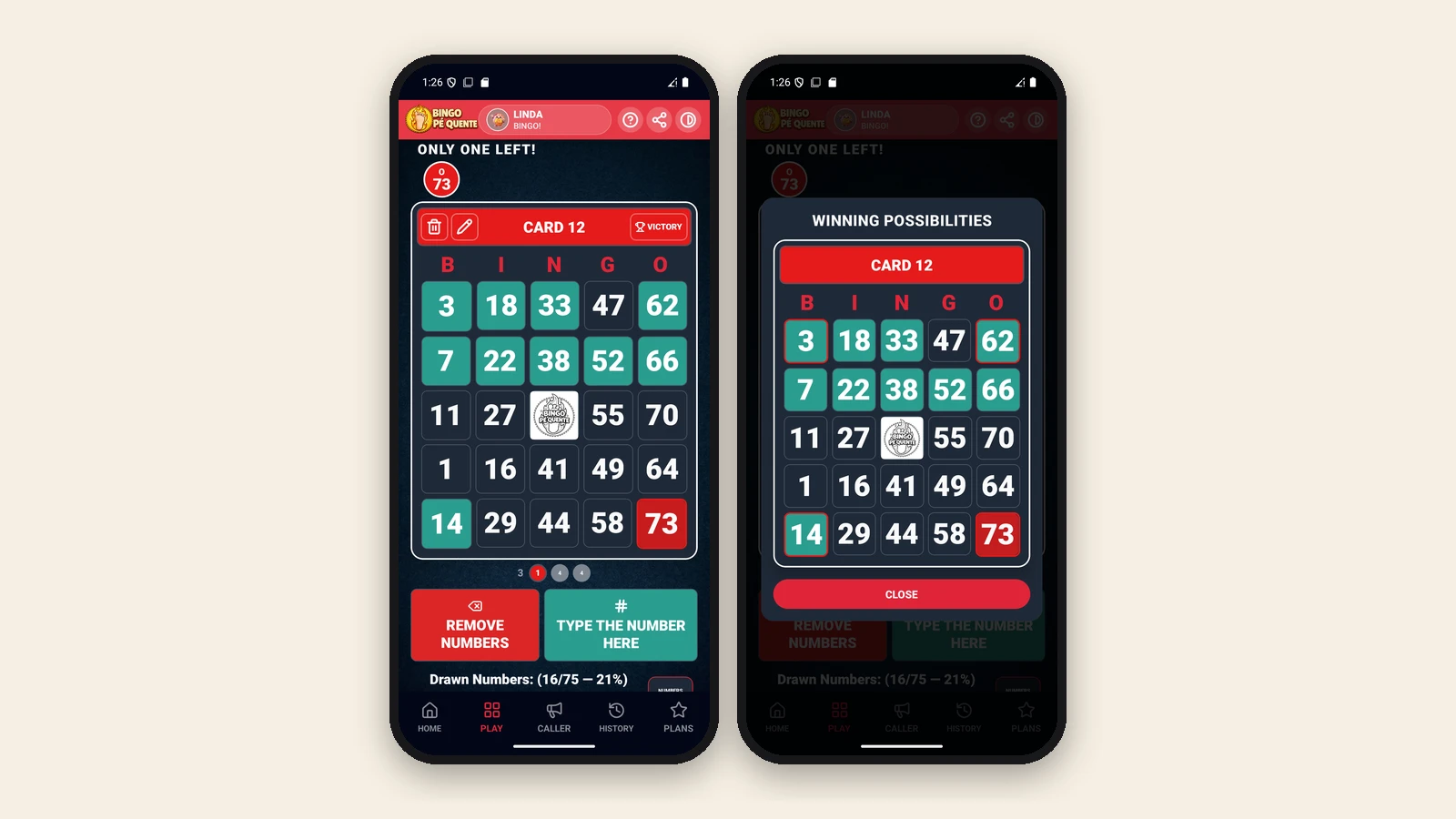
Besides the one-left alert, each card has a VICTORY button, with a trophy, that opens the WINNING POSSIBILITIES box: it shows which squares are missing for each of the round's patterns. With several cards, it's the fastest way to know which one to keep an eye on.
3. The card takes the name printed on the paper
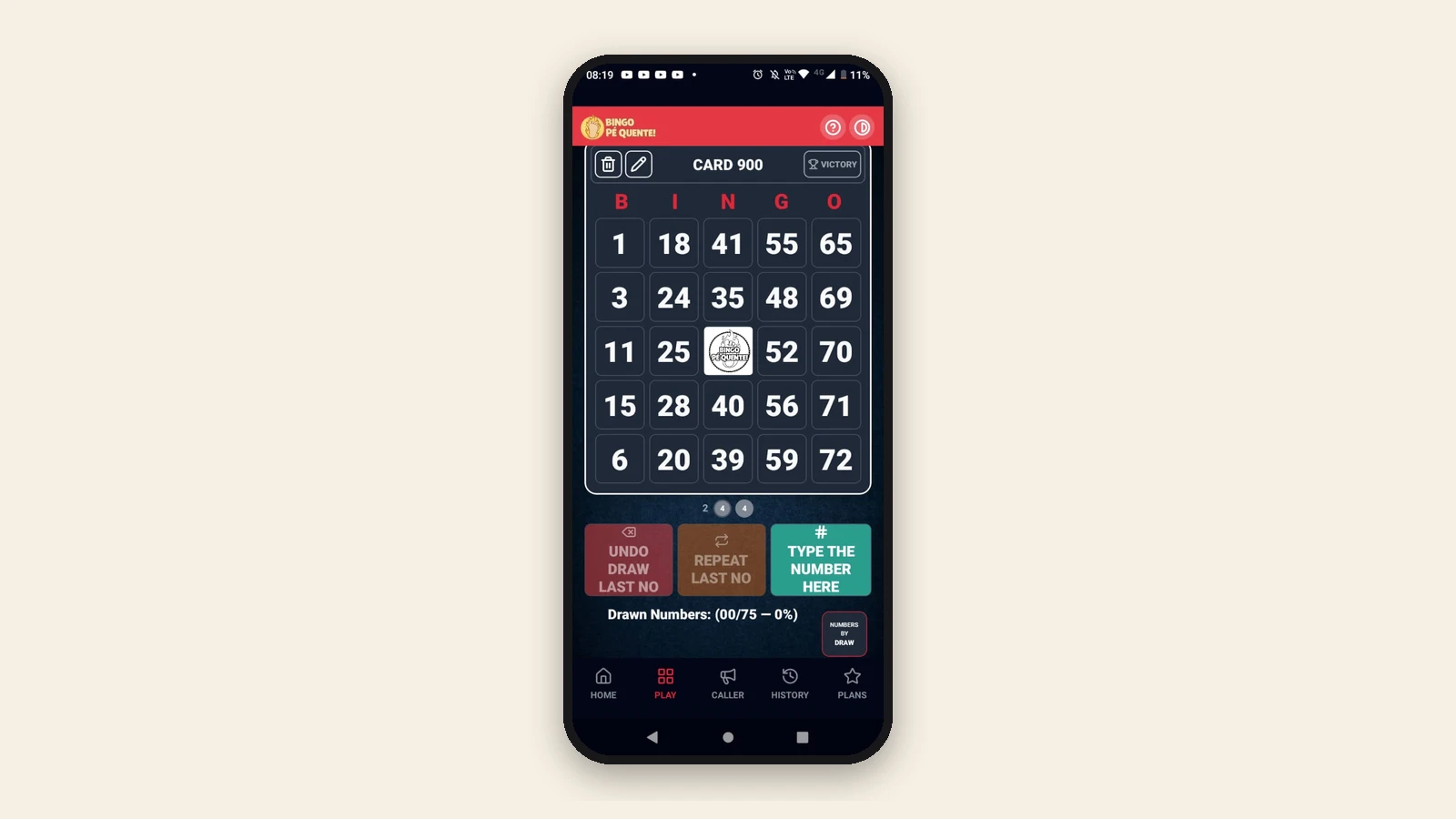
When you scan a card that has a number printed outside the grid (the card number, the serial on the pad), the app uses that number as the card's name. When it's time to shout, just say "900 is a bingo!" and everyone can find the card on paper.
4. One more card for a video
In the free tier you play with 3 cards. If you want one more for that game, you can watch a video and get an extra card, up to two extra per game. If you have PARTY or GRAND BINGO, you already start with many more (15 and 50).
5. An hour without ads for one video
About to start and don't want an ad in the middle? In the free tier, before the first round, CALLER shows the About to start the bingo? card: watch a video there, while you're setting up, and the party goes an hour without ads. HISTORY offers the same deal, for 30 minutes. If you buy PARTY or GRAND BINGO, you don't see any ads at all.
6. Try colors and voice for a video
You can try two PARTY features for free: card colors and saying the number out loud to mark it. When you tap one of them, the app offers a video that unlocks the feature until the end of the round. A good way to find out whether it's worth it before you buy.
7. The highest-ball tiebreaker
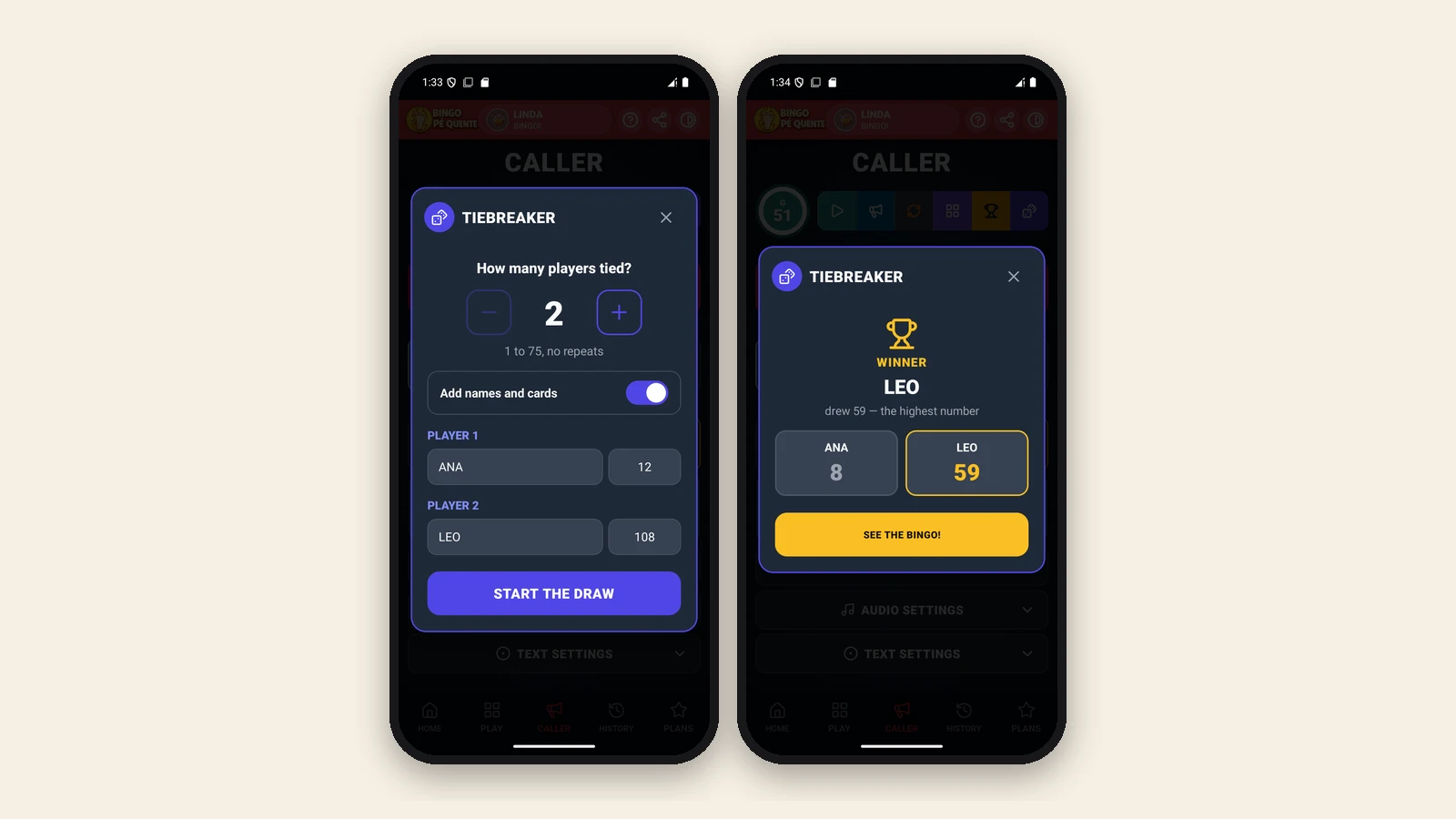
Two cards closed on the same ball? On CALLER, the TIEBREAK button asks how many players tied, and each one draws a ball (no repeats). The highest one wins. In the blackout this happens in 1 round out of 5, so it's worth knowing where it is.
8. Full screen for the TV, upright or sideways
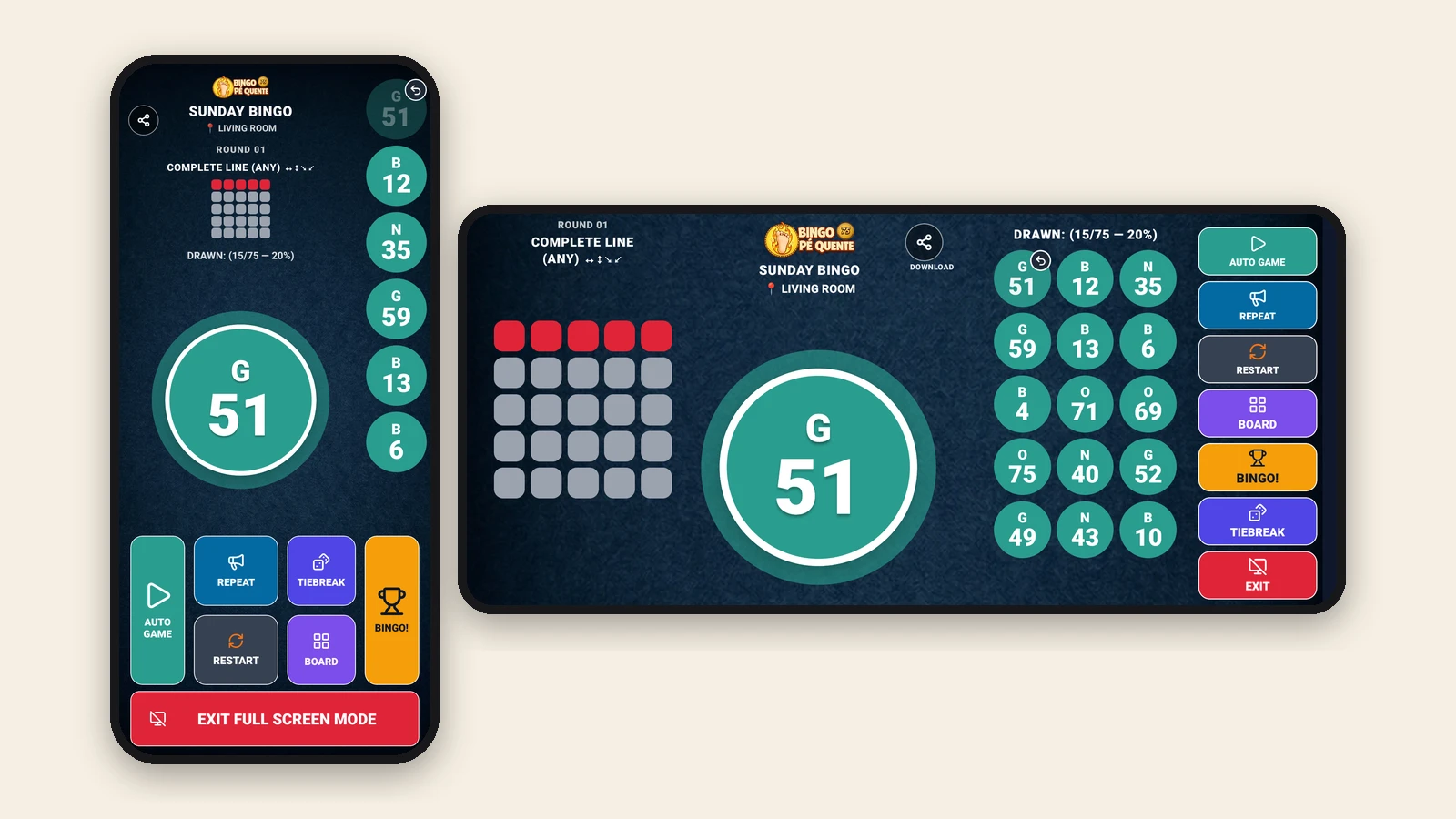
The caller has a full screen made for the TV: the current ball huge and the previous ones beside it. Mirror the phone's screen to the TV and the whole room can see it. With the phone turned sideways, it opens horizontally: the ball in the center, the round's pattern on one side and the called balls on the other. The whole board is one tap away, on the Board button.
9. A backup of your data
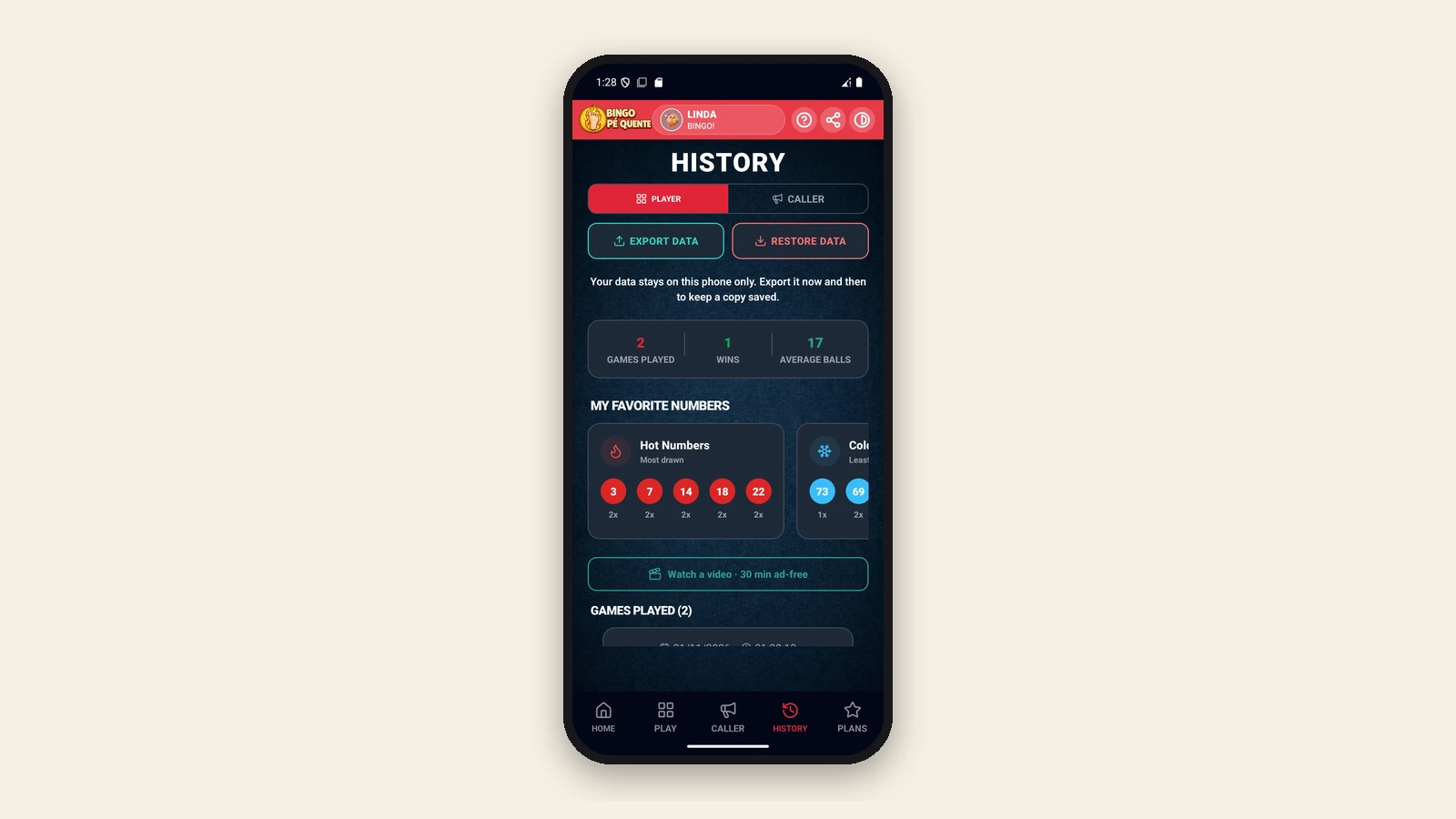
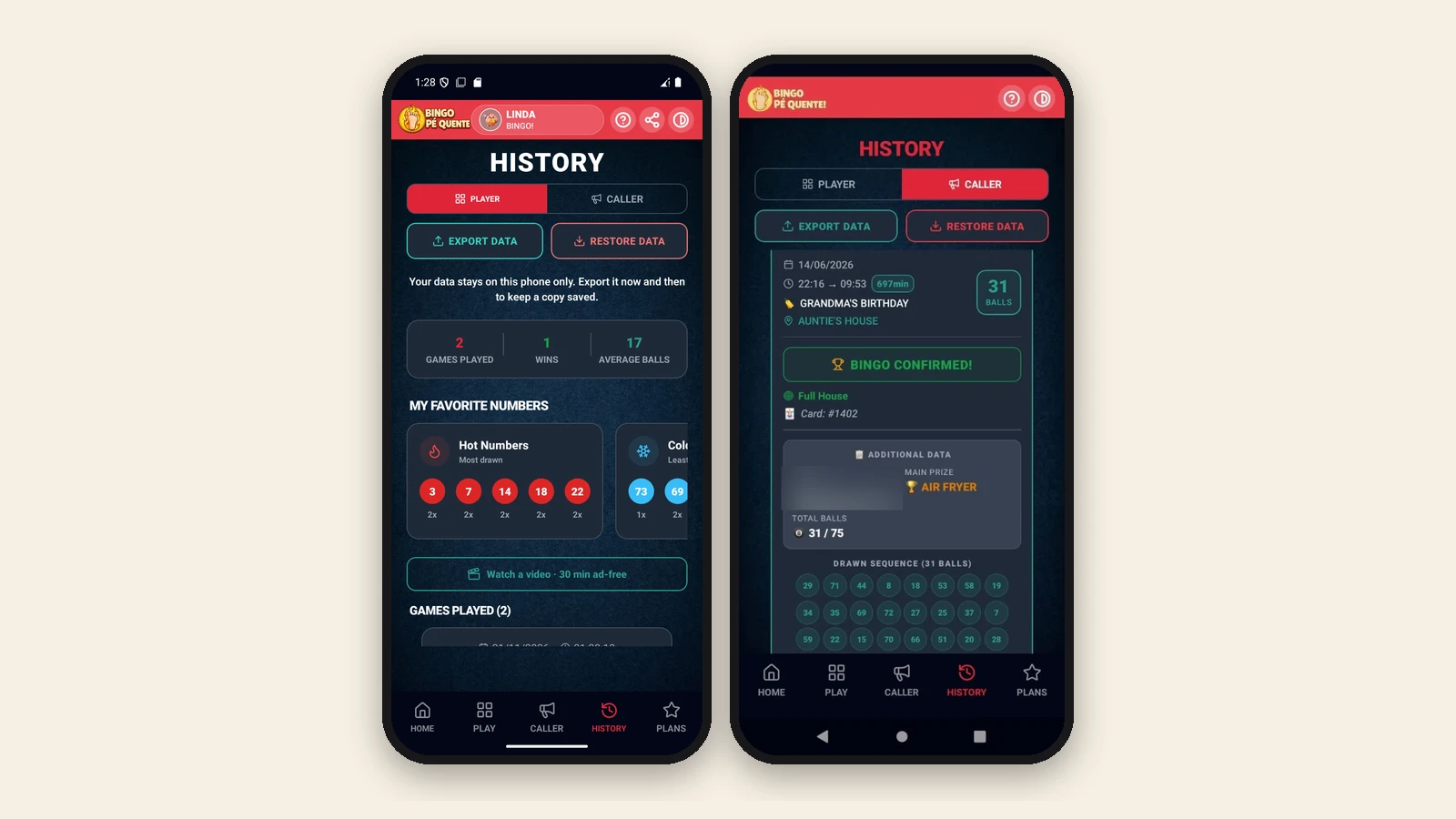
Switching phones? On HISTORY, the EXPORT DATA button saves your history, cards, events and settings to a file, for free. To bring it all back on a new device, RESTORE DATA is a PARTY feature. Your purchases don't depend on it: they come back through the Google Play receipt, as we explain in why the app works this way.
10. Random mode: any numbers count
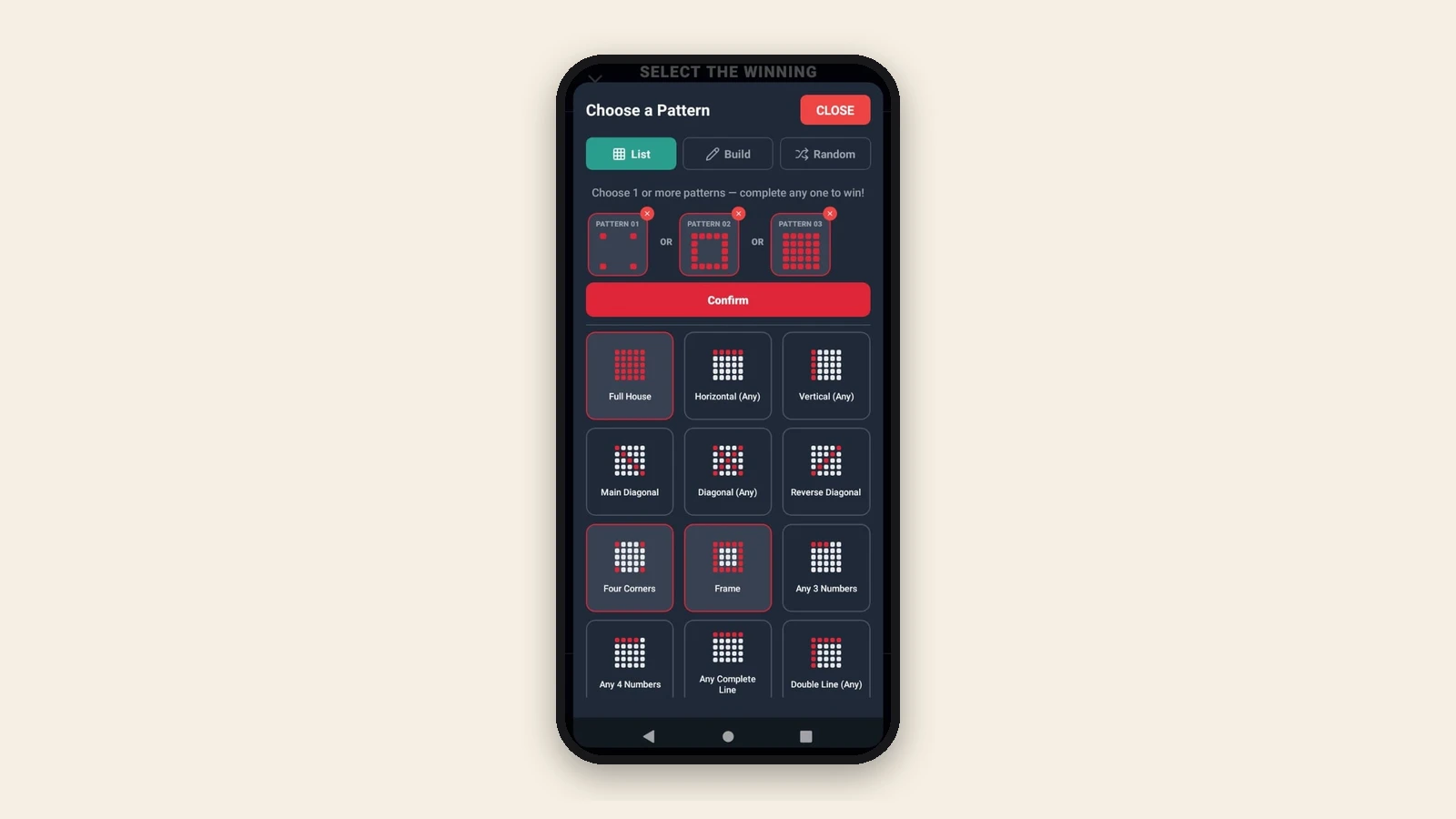
Tired of shapes? In Random, the shape doesn't matter: you choose a number, from 1 to 24, and whoever first marks that many numbers, anywhere on the card, wins. With 5, for example, any 5 numbers count; the FREE space isn't included. Good for tables that have played lines and corners a thousand times and want a different kind of race.
11. Build your own pattern
Want a round with the birthday person's initial, a heart, a shape only your family knows? In Build, you tap the squares on the card and create your own pattern.
A heart
For a wedding anniversary.
The letter F
The birthday person's initial.
An arrow
A shape only your table knows.
Where: in the pattern picker, Build tab. Plan: GRAND BINGO.
12. A PDF summary of every round
The caller's history keeps every round: the pattern, who won, the winning card, the sequence of balls. And it creates a PDF summary of each round, with the name of the event and the venue, when there are any, to share in the group chat the next day. The sequence of balls settles any argument about who got there first.
13. Several cards at once
Showed up with a whole pad? With GRAND BINGO, batch scanning lets you take several photos in a row, one per card, or pick several from the gallery, and the app reads them all at once. Without GRAND BINGO, scanning is one card at a time.
The most useful features on a bingo night are the ones that fix the mistake, the tie and the rush. And most of them are in the free tier.
Quick questions
- I typed a wrong number in the app. How do I undo it? If the card closed, tap "Not a bingo: I entered a wrong number" in the BINGO box and remove the number. If it didn't close, use the REMOVE NUMBERS button on PLAY.
- Can I have more than 3 cards in the free tier? Yes: each video you watch unlocks one more card, up to two extra per game.
- Does the app break ties when two cards close together? It does, on the caller: each tied player draws a ball and the highest one wins. It's in the free tier.
- Can I create my own bingo pattern? Yes, in Build, which is part of GRAND BINGO.
- Does the app keep track of who won each round? It does. The caller's history records every round and creates a PDF summary of each one, with GRAND BINGO.
Thirteen features, most of them in the free tier. The rest, a single purchase, for good.